
Réponse rapide
There is no single best printer for small businesses; rather, it is the printer technology that matches your workload, media, print volume, and operating budget. For routine office documents, a colour or monochrome laser printer is usually the best choice for speed and predictable running costs. Refillable ink-tank printers, on the other hand, are ideal for businesses that frequently print in colour. Businesses producing customised products, signage, promotional goods, phone cases, acrylic items or other direct-to-object products would be better off investing in a Imprimante UV because it expands the range of items that can be printed rather than simply increasing document output. This workload-based approach is consistent with RTINGS’s current small-business printer testing and HP’s buying guidance, while the ENERGY STAR Printer Buying Guide emphasises total energy, paper, ink and operating efficiency rather than purchase price alone.
What Makes a Printer “Best” for a Small Business?
Although the question ‘Which is the best printer for small businesses?’ sounds straightforward, it conceals an important distinction: ‘small business’ refers to business size rather than printing application. For example, a one-person accounting firm may print hundreds of invoices and contracts every month, whereas a small sign shop may only print a few hundred customised products, but it will require a UV printer capable of handling acrylic, wood, metal, glass, leather, plastics and other speciality materials.
This is why the selection of a printer should begin with the tasks the machine must perform rather than with a particular brand or advertised print speed. Current small-business printer comparisons continue to favour laser technology for shared office workloads due to its combination of speed, document quality and relatively low maintenance. Meanwhile, inkjet and ink-tank models remain competitive when colour output and running costs are more important.
For a typical office, the best printer is often a multifunction laser printer with automatic duplex printing, an automatic document feeder, Ethernet/Wi-Fi connectivity, sufficient paper capacity and high-yield toner. However, for a creative or product customisation business, that same machine may be almost irrelevant because the core requirement is direct printing onto commercial products, not document production.
Quick comparison: which printer type fits which business?
| Printer type | Best suited to | Main strengths | Main limitations |
| Monochrome laser | Invoices, contracts, forms, reports | Fast text printing, efficient for high volume | No color output |
| Color laser | Offices, proposals, brochures, presentations | Fast color documents, sharp text | Higher equipment and toner cost |
| Ink-tank printer | Frequent color documents and graphics | Low refill cost, good color flexibility | Generally slower than laser |
| Business inkjet | Mixed documents, graphics, moderate volume | Good color and media flexibility | Maintenance and ink management matter |
| Wide-format inkjet | Posters, drawings, signage, large graphics | Large media support | Larger footprint and higher investment |
| Imprimante UV | Customized products, signs, specialty substrates | Direct-to-object printing, instant UV curing, broad media range | Higher specialization, workflow and maintenance requirements |
The Best Printer for a Typical Small Office
If your business mainly prints documents such as invoices, quotations, contracts, shipping documents, reports, forms and internal records, a laser printer is usually the best option. Laser technology is particularly well suited to businesses where printing is done in batches, and where sharp text, high throughput and consistent use of consumables are more important than photographic output.
Multifunction laser printers can be especially valuable as they become part of the document workflow rather than being used as standalone output devices. Features such as duplex scanning, automatic document feeding, network connectivity, secure printing, and copying can save employees more time than a small difference in pages per minute. RTINGS’ current small-business testing also identifies multifunction laser equipment as being particularly well-suited to shared office workloads. They cite speed, sharp documents, low maintenance, and high-yield toner as important advantages.
For companies that print mostly black-and-white documents, a monochrome laser multifunction printer may offer the best balance between purchase price and operating efficiency. However, if proposals, presentations, product sheets or customer-facing documents frequently require colour, a colour laser multifunction printer would be more appropriate.
The important point is not to buy the fastest printer available. A machine rated at 40–50 pages per minute may be excessive for a five-person office printing a few hundred pages per month, whereas a slower model could be frustrating if several employees send large jobs simultaneously.
When an Ink-Tank Printer Makes More Sense?
Refillable ink-tank printers are worth considering for small businesses that produce a significant amount of colour content, but do not require the throughput of a high-end laser workgroup machine. The major advantage lies in the relationship between the initial hardware investment and ongoing ink consumption: large reservoirs reduce the frequency with which consumables need to be replaced, making high-volume colour printing more economical.
This is particularly useful for businesses producing colourful documents such as brochures, menus, classroom materials, product inserts and marketing graphics. HP’s current purchasing recommendations also suggest that high-yield business inkjet and ink-tank systems are suitable options, depending on volume and running costs, rather than recommending laser printers as the universal solution.
However, ink-tank technology should not automatically be described as the cheapest option. The real calculation includes ink consumption, maintenance cycles, printhead servicing, paper, replacement components, downtime, and the number of pages produced each month. A low cost per page is meaningless if the printer spends long periods of time unused and requires maintenance before every important job.
Therefore, for businesses with irregular printing patterns, the purchasing decision should consider usage frequency rather than simply annual page volume. For example, a printer that is excellent for 2,000 colour pages per month may not be the most practical option for a company that prints only 2,000 pages per year.
When Should a Small Business Choose a UV Printer?
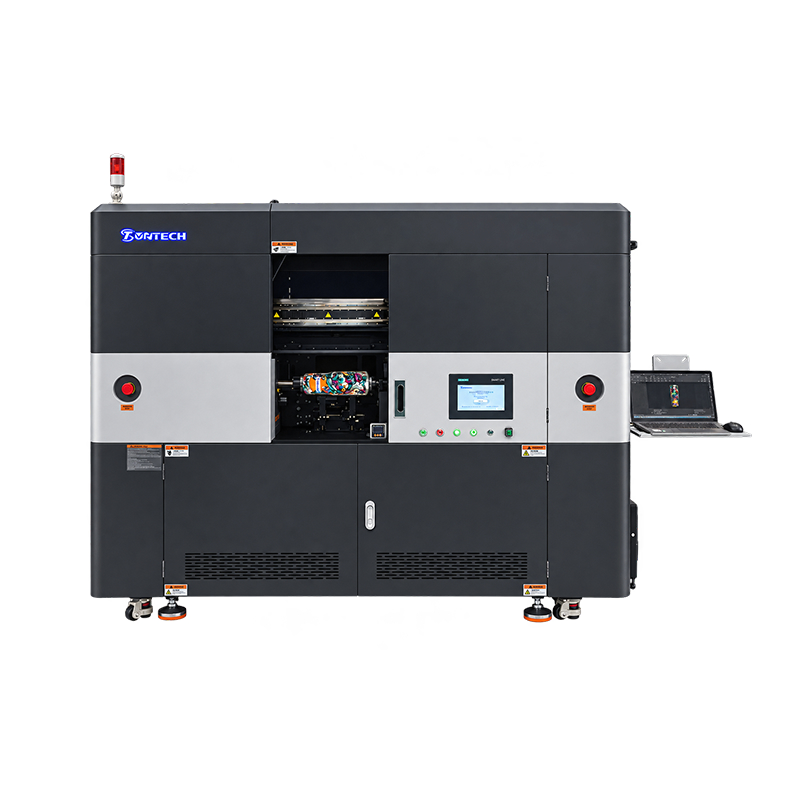
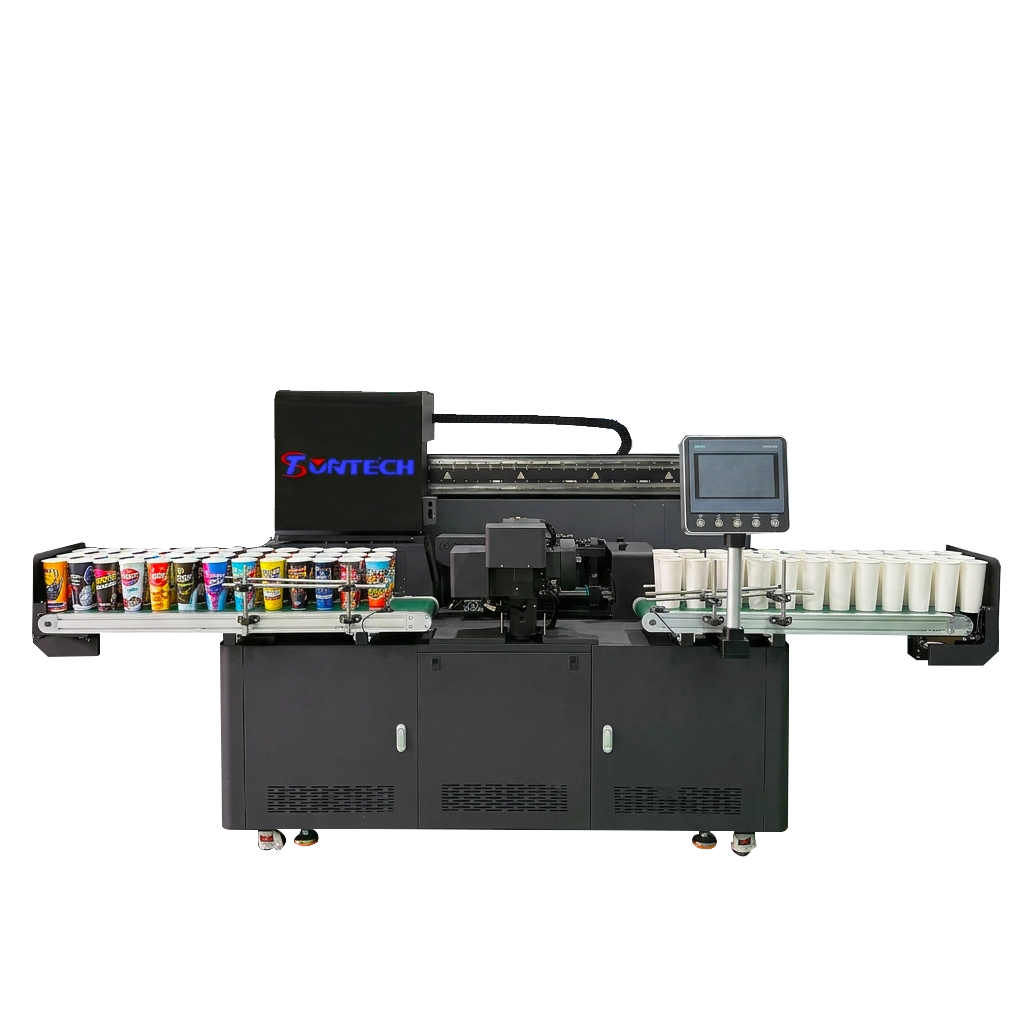
The use of a UV printer becomes interesting when the printing process itself is part of the product or revenue-generating service. Unlike conventional office printers, which are designed primarily for paper, UV printing systems use ultraviolet light to cure specially formulated inks shortly after they are deposited onto a substrate. This makes the technology particularly useful for printing directly onto rigid or speciality materials.
Typical applications include customised promotional products, acrylic signs, phone cases, awards, packaging prototypes, decorative panels, personalised gifts, retail displays, labels and small-batch industrial graphics. Compact UV and UV-DTF systems are increasingly being marketed towards small businesses because they enable businesses to offer customised products without investing in large-scale industrial production lines. Current market guides for 2026 show a wide range of UV printer configurations and investment levels, demonstrating that ‘small business UV printer’ is a broad equipment category rather than a single standardised machine.
The key advantage is media versatility. While a conventional office printer generally assumes paper or closely related media, a UV printer can be configured for much more specialised work. Depending on the design of the machine, the ink chemistry used, the primer requirements, the fixtures and the substrate compatibility, UV printing can support materials such as acrylic, coated metals, plastics, wood, glass, leather and other rigid or flexible surfaces.
This changes the economics of the printer. While a document printer creates value by producing information efficiently, a UV printer can do so by enabling products to be sold at a higher margin. Therefore, a business selling personalised merchandise could gain considerably more commercial value from a modest UV printer than from a much faster office laser printer.
UV Printer vs. Conventional Printer: The Critical Difference
It is tempting to compare a UV printer with an inkjet or laser printer using the same criteria, but that can lead to the wrong purchase. They often serve different production objectives.
A conventional office printer is primarily evaluated through pages per minute, cost per page, paper capacity, duplex performance, scan functions, reliability, and network integration. A UV printer needs to be evaluated through printable area, substrate compatibility, ink configuration, curing performance, resolution, production speed, RIP software, white ink capability, varnish or special-effect options, maintenance requirements, and the availability of technical support.
For example, white ink can be important when printing graphics on dark or transparent substrates because it can act as an opaque foundation beneath CMYK artwork. Varnish or texture functions can also be commercially valuable for premium signage and customized products, but they should not be treated as universal requirements.
| UV printer selection factor | Why it matters for a small business | Questions to ask the supplier |
| Print area | Determines the maximum product or sheet size | What is the usable printing area? |
| Substrate compatibility | Determines what products you can sell | Which materials can be printed directly? |
| White ink | Important for dark, transparent, and specialty media | Is white ink standard, optional, or recirculated? |
| Configuration de l'encre | Affects color gamut and special effects | Which CMYK, white, varnish, or other channels are available? |
| Système de polymérisation | Influences adhesion, durability, and production workflow | How is UV curing controlled? |
| Tête d'impression | Affects image quality, speed, maintenance, and replacement cost | Which printhead is used and how is it serviced? |
| Logiciel RIP | Controls workflow, color management, and job preparation | Which RIP is included and what file formats are supported? |
| Production speed | Determines realistic daily capacity | What is the rated speed under production conditions? |
| Maintenance | Directly affects downtime | What daily and weekly maintenance is required? |
| Service support | Critical when the printer becomes production equipment | What training, spare parts, warranty, and remote support are available? |
Don’t Buy a Printer Based Only on Print Speed
Print speed is one of the most frequently advertised specifications for printers, but it is also one of the most easily misused metrics. A printer’s quoted pages-per-minute figure may not accurately reflect the entire workflow, as factors such as warm-up time, first-page-out time, duplex processing, data transfer, RIP processing, media handling, and finishing can all impact actual productivity.
For office printing, factors such as first-page-out time and batch throughput can be more important than maximum speed. The relationship is even more complicated for UV production because factors such as printable area, number of passes, resolution, white-ink coverage, varnish, substrate loading, curing requirements and operator handling can substantially affect real production capacity.
A better question to ask when making a purchase is therefore: How many saleable, acceptable prints can the machine produce during a normal working day? This figure is more useful for business planning than laboratory maximum speed.
Calculate Total Cost of Ownership, Not Just Purchase Price
A printer’s purchase price is only the beginning of its cost. HP specifically recommends considering cost per page, duty cycle, consumables, and energy consumption when evaluating equipment for small-business use.
For an office printer, total cost of ownership can be approximated by combining hardware depreciation, toner or ink, drums and maintenance components, paper, electricity, service, and downtime. For a UV printer, the calculation should also include UV ink, printheads, cleaning fluids, maintenance materials, RIP software, substrates, fixtures, spare parts, ventilation or workspace requirements where applicable, and operator labor.
ENERGY STAR’s printer guidance also recommends looking beyond consumables and considering duplex printing, sleep modes, automatic shutoff, and other efficiency features. Current ENERGY STAR criteria evaluate imaging equipment according to its marking technology, speed, operating profile, and energy consumption, making efficiency a useful secondary purchasing criterion rather than a marketing afterthought.
A useful business calculation is:
Total cost per saleable print = consumables + media + energy + maintenance + labor + equipment cost allocation + expected waste
This approach is especially important for UV printing because a machine with a low advertised ink cost can still be expensive if poor adhesion, nozzle problems, calibration, or substrate waste causes rejected products.
Features Small Businesses Should Prioritize
Once the printing application is clear, it becomes much easier to rank the features. For offices that handle a lot of documents, automatic duplex printing should usually be near the top of the list because it reduces paper consumption and makes longer documents easier to manage. ENERGY STAR specifically highlights automatic duplexing as an effective way to reduce paper usage.
Connectivity is another important consideration, especially as a company grows. While Wi-Fi is convenient, Ethernet can provide a more stable connection in shared office environments, and USB remains useful for direct printing and troubleshooting. Businesses handling confidential documents should also consider secure print functions, user authentication, and appropriate network security.
The priority list for UV printers is different. Substrate compatibility, printhead availability, ink supply stability, white-ink management, RIP software, calibration, maintenance accessibility, and after-sales support may be more important than wireless connectivity or office-style multifunction features.
Above all, avoid paying for features that do not support your revenue model. A highly sophisticated printer is not necessarily a better business investment if its capabilities remain unused.
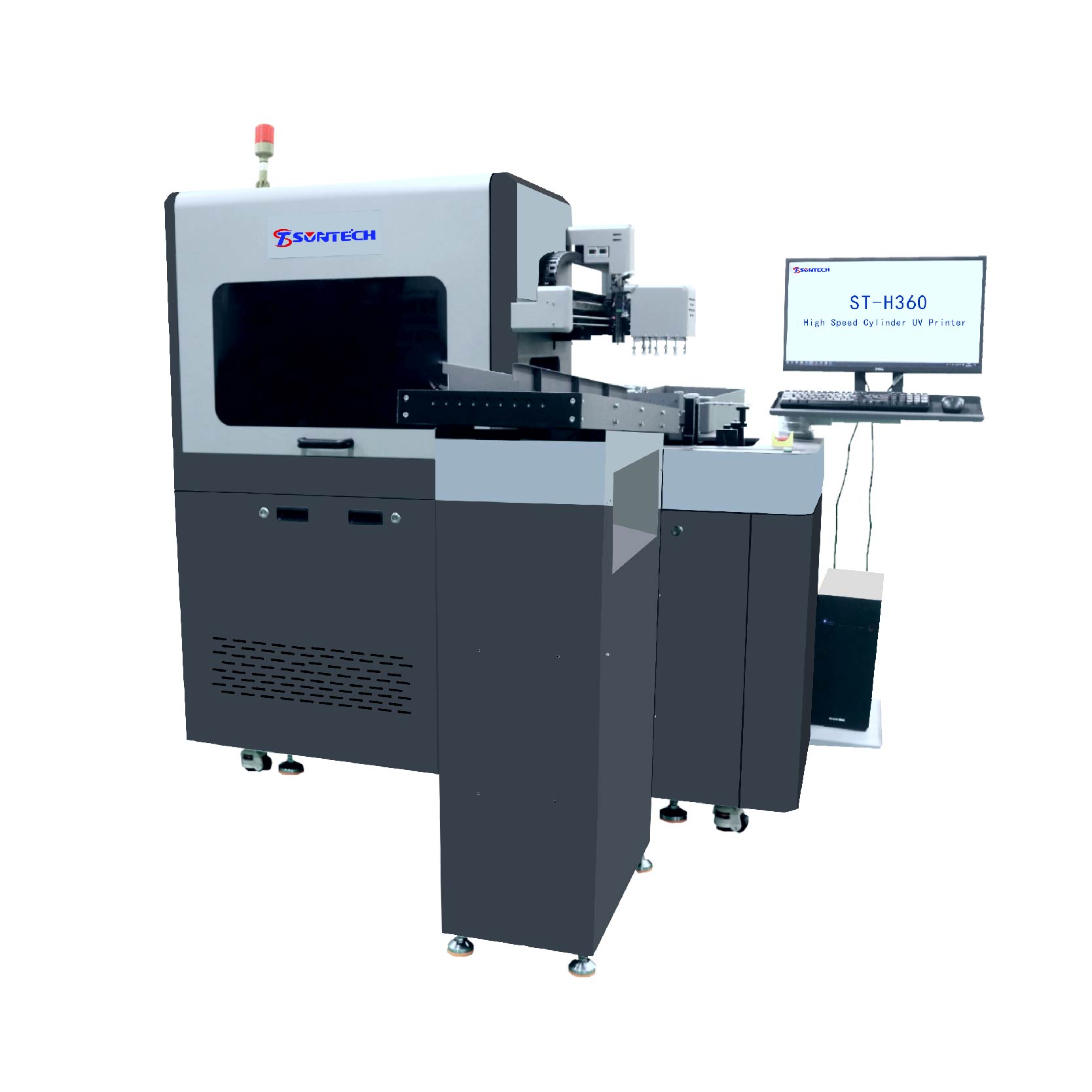
A Practical Decision Framework
A simple way to narrow the market is to start with four questions:
- What do you print?
If the answer is mainly documents, invoices, reports, and contracts, start with laser or business inkjet. If the answer is customized merchandise, signage, rigid panels, or specialty products, investigate UV printing.
- How much do you print?
Estimate realistic monthly volume rather than the maximum volume you hope to reach. A growing company should leave some capacity headroom, but excessive capacity can tie up capital unnecessarily.
- What materials do you need to print on?
Paper-based businesses have a much wider choice of conventional printers. If you need to print directly onto non-paper substrates, substrate compatibility becomes a primary purchasing criterion.
- How does printing generate value for your company?
If printing is an administrative expense, optimize for reliability and operating cost. If printing is part of your product offering, optimize for saleable output, media range, quality, and production flexibility.
This framework explains why current small-business printer guides often reach different conclusions. RTINGS favors a laser multifunction model for general small-office work, while TechRadar’s 2026 guide includes laser, business inkjet, ink-tank, and wide-format choices for different workloads. Neither approach is contradictory; they are solving different printing problems.
Frequently Asked Questions
- What is the best printer for a small business?
A multifunction laser printer is usually the best choice for a small office that mainly prints business documents. A UV printer is more appropriate when printing customized products or specialty materials is part of the business model.
- Is a laser or inkjet printer better for a small business?
Laser printers are generally better for fast, high-volume document printing, while inkjet printers can be attractive for color graphics and certain lower-cost color workflows. The better option depends on print volume, color requirements, media, and total operating cost.
- Is a UV printer good for a small business?
A UV printer can be an excellent choice for businesses selling customized signs, gifts, promotional products, packaging, and direct-to-object prints. Its main advantage is substrate flexibility rather than conventional office document speed.
- What should I look for when buying a business printer?
Consider monthly volume, print speed, cost per page, consumable yield, paper or substrate compatibility, connectivity, maintenance, reliability, and service support. For UV printers, also evaluate print area, ink configuration, white ink, printheads, RIP software, and substrate adhesion.
- Is an ink-tank printer cheaper than a laser printer?
An ink-tank printer can provide a very low color printing cost when it is used regularly and efficiently. Laser may still be more economical for businesses that prioritize fast text printing, high throughput, and predictable document production.
- How much should a small business spend on a printer?
The appropriate budget depends on the workload and the revenue generated by printing rather than company size alone. A business should compare the expected total cost of ownership with the productivity or sales value the printer will generate over several years.
In short, choose a laser printer for document-heavy office work, an ink-tank or business inkjet for cost-sensitive color printing, and a UV printer when customized products and specialty substrates are central to the business. That distinction gives small-business buyers a more useful answer than a single “best printer” ranking because it connects the equipment directly to the work the business needs to accomplish.
Conclusion: Which Printer Is Best?
For most small offices, the ideal printer is a reliable, multifunction, laser printer with automatic double-sided printing, a document feeder, network connectivity, high-yield toner and a duty cycle that matches the company’s actual workload. This type of printer is particularly suitable for offices where the majority of output consists of contracts, invoices, reports, forms and other business documents.
However, for businesses that produce a lot of colour material while keeping operating costs under control, a refillable ink tank or business inkjet printer may offer a better balance of colour capability and consumable economics. For businesses that sell customised physical products, a UV printer may be a better strategic investment, as its value lies in its ability to print on a wide range of products and substrates, rather than simply producing more pages.
Therefore, the most important conclusion is simple: the best printer for a small business is the one that matches its actual printing workflow and produces the lowest cost per useful, saleable output — not necessarily the machine with the lowest purchase price or highest advertised speed. Current professional buying guides increasingly organise recommendations around workload, running costs, media requirements and business use, rather than treating one printer as universally superior.