
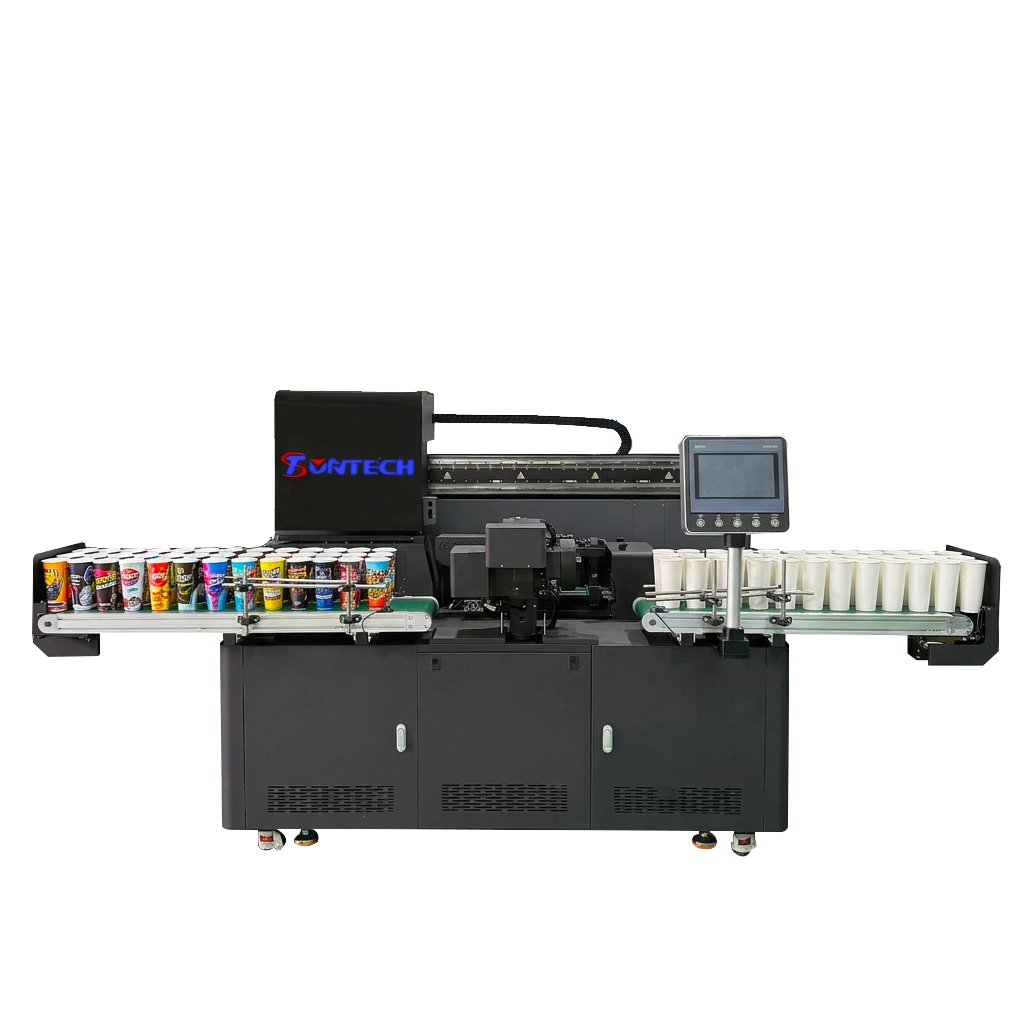
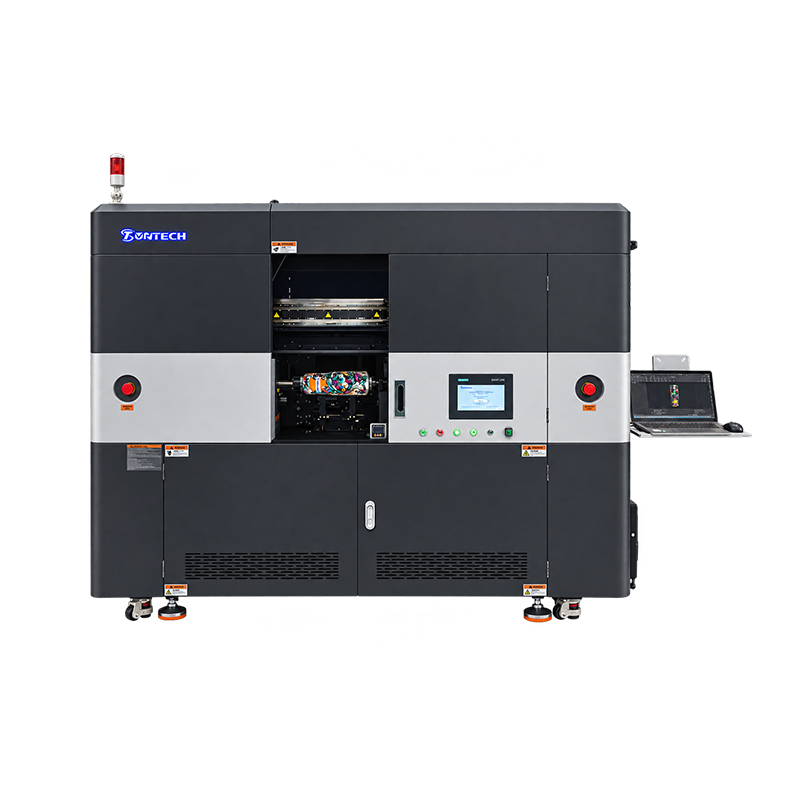
Yes, some manufacturers offer hybrid or dual-function printers that can handle both UV DTF and conventional DTF printing. However, these machines are not as common as printers designed for a single function. As the two technologies use different inks, printing processes, curing methods, and transfer materials, a standard UV DTF printer cannot automatically produce conventional DTF transfers, and vice versa.
Understanding UV DTF and Conventional DTF Printing
Before choosing a combined machine, it is important to understand the purpose of each technology. Although both UV DTF and conventional DTF use printed designs that are transferred onto a target surface, they differ significantly in terms of how the image is created and how the finished transfer is applied. These differences determine whether one printer can support both workflows and what additional equipment is required.
What Is a UV DTF Printer?
A Impressora DTF UV uses ultraviolet-curable inks to print graphics onto specialised transfer film. During the printing process, UV lamps cure the ink, creating a durable printed layer that can be transferred to suitable hard surfaces using an adhesive film system. In a typical UV DTF workflow, the design is first printed onto coated A film, which is then laminated with B film. Finally, the carrier film is removed, and the design is applied to the target surface.
UV DTF is commonly used to decorate products such as glass bottles, tumblers, cups, acrylic panels, plastic containers, metal products and promotional items. It is particularly useful when a business requires detailed, full-colour graphics on objects that cannot be fed through a conventional flatbed printer, or that have curved or irregular surfaces. However, the final result depends on factors such as the film, adhesive, surface preparation, ink compatibility, and application technique. It should not be assumed that UV DTF works equally well on every material.
What Is a Conventional DTF Printer?
A Impressora DTF uses textile pigment inks to print designs onto a PET (polyethylene terephthalate) transfer film. The printed image usually includes a white ink layer to improve colour opacity on dark fabrics. After printing, hot-melt adhesive powder is applied to the wet ink. Excess powder is then removed, and the film passes through a curing or drying stage. The finished transfer is then applied to fabric using a heat press.
DTF is primarily designed for decorating textiles, including T-shirts, hoodies, sweatshirts, uniforms, and tote bags. Unlike UV DTF, it relies on heat and pressure to bond the adhesive layer to the textile. The finished transfer is flexible and moves with the fabric. However, wash durability and hand feel depend on ink quality, the adhesive powder used, curing conditions, fabric composition, and pressing parameters.
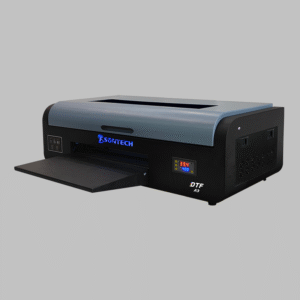
Can One Printer Handle Both UV DTF and DTF?
In short, the answer is yes, but only if the machine has been specifically engineered and configured for both processes. Some suppliers market hybrid, dual-purpose, or multifunction systems that claim to support both UV DTF and conventional DTF. However, you should verify that a machine can print both types of transfer through its actual hardware and production workflow.
The main challenge is that UV DTF and conventional DTF are not just two printing modes that can be selected in software. They require different ink chemistries, film specifications, curing processes, and downstream equipment. UV-curable ink hardens under ultraviolet light, whereas textile DTF ink is generally a water-based pigment ink that must be dried and combined with hot-melt adhesive powder. A printer configured for one process may lack the necessary ink delivery system, curing unit, or film handling components.
For instance, a conventional DTF printer may have a white ink circulation system and a powder-shaking or curing unit designed for textile transfers. A UV DTF system, on the other hand, typically requires UV lamps and a compatible film-lamination arrangement. Combining these functions in one production system involves more than simply installing two ink profiles. This involves controlling ink compatibility, printhead maintenance, curing temperature, film transport, and separating different production materials.
Therefore, buyers should distinguish between three types of equipment:
- Dedicated UV DTF printers: Designed specifically for UV-curable printing on UV DTF transfer films.
- Dedicated DTF printers: Designed for textile transfers using pigment inks, PET film, adhesive powder, and heat curing.
- Hybrid or dual-function systems: Specifically designed by the manufacturer to support both workflows, potentially through separate print configurations, modules, or interchangeable components.
A hybrid machine can be a practical option for a business that wants to offer both hard-surface product decoration and textile printing. However, not every product advertised as a UV DTF and DTF combo printer supports both processes independently or at the same production quality as dedicated equipment.
UV DTF vs. DTF: Key Technical Differences
The most important difference between the two technologies is not the transfer film itself, but the way the printed image is formed, cured, and bonded to the final product. This affects equipment design, consumable selection, production costs, and the types of orders a printing business can accept.
| Comparison Factor | Impressora UV DTF | Conventional DTF Printer |
| Main ink type | UV-curable ink | Water-based textile pigment ink |
| Typical ink configuration | CMYK, white, sometimes varnish or clear | CMYK + white |
| Transfer material | Specialized UV DTF A film and B film | Coated PET DTF transfer film |
| Método de cura | UV LED curing | Heat curing of hot-melt adhesive powder |
| Adhesive system | Adhesive film or pressure-sensitive transfer layer | Hot-melt adhesive powder |
| Additional equipment | Laminator, if not integrated | Powder shaker, curing oven, heat press |
| Main application | Compatible hard surfaces | Textiles and garments |
| Transfer method | Peel, position, press, and remove carrier | Heat and pressure, followed by film peeling |
| Typical products | Tumblers, glassware, acrylic, metal, packaging | T-shirts, hoodies, uniforms, tote bags |
| Final print characteristics | Surface-applied decorative layer | Flexible textile transfer |
- Ink Chemistry and Printhead Compatibility
UV DTF printers use inks that are formulated to polymerise when exposed to ultraviolet light. To achieve consistent ink deposition and curing, the printhead, ink delivery system, UV lamp output, and software settings must work together. Depending on the machine, white ink and clear or varnish layers may also be used to improve opacity, surface appearance, or resistance to handling.
Conventional DTF printers use textile pigment inks designed for printing on coated transfer film. White ink is particularly important because it provides an opaque foundation for colour designs on dark garments. These inks are not interchangeable with UV-curable inks. Using an incompatible ink can result in poor jetting, nozzle blockage, unstable curing, weak adhesion, or printhead damage. For this reason, a dual-function printer must be configured with manufacturer-approved ink for each printing process.
- Film and Transfer Requirements
Although both machines print onto films, the films serve different purposes. Conventional DTF generally uses a coated PET film that receives the ink and adhesive powder before the design is transferred to fabric. The powder must cover the printed areas evenly and be cured under the recommended conditions. Epson’s DTF Film Printing Guide describes the powder application, heating, and heat-transfer stages as essential parts of the production process.
UV DTF typically uses a specialized A/B film system. The printer deposits UV-curable ink onto the designated print film, and a second film is laminated over the printed design to form the transfer. Mimaki’s UJV300DTF-75 product documentation describes its dedicated film-feeding and transfer workflow, illustrating why UV DTF equipment needs media-handling features designed for this material.
- Curing and Application Methods
Another major obstacle to combining both technologies in a single machine is the curing process. UV DTF requires the ink to be exposed to controlled ultraviolet light during printing to cure it. In contrast, conventional DTF requires a separate thermal process to melt and bond the hot-melt powder before the transfer is pressed onto fabric. These operations involve different temperature, timing, and material handling requirements.
The final application methods are also different. UV DTF transfers are generally applied to compatible hard surfaces through positioning and pressure alone, bypassing the conventional garment heat-press process altogether. In contrast, textile DTF transfers rely on controlled heat, pressure, and pressing time to bond the adhesive to the fabric. A machine that prints both types of film must either provide the appropriate post-printing equipment or clearly specify which operations must be completed separately.
What Should You Look for in a UV DTF and DTF Combo Printer?
If your business requires both types of transfer, the most important purchasing decision is whether the proposed machine can genuinely support two complete production workflows. While a supplier may describe a product as a dual-purpose printer, this does not necessarily mean that it can handle both ink systems, film types, and curing requirements. Ask for technical documentation, sample prints, and a demonstration using the exact consumables you intend to purchase.
Consider the following factors before placing an order.
- Confirm Whether It Supports Two Genuine Printing Processes
Ask the manufacturer to explain how the machine switches between UV and conventional DTF. Does it use separate ink channels or interchangeable ink systems? Are different printhead configurations required? Does it require a different film-feeding mechanism, UV lamp, or external curing unit? Most importantly, can it perform both workflows without compromising print quality or requiring unauthorised modifications?
A supplier should be able to provide a clear explanation of the machine’s operating modes, compatible inks, film specifications, and required accessories. If the machine only prints UV DTF film and relies on a separate conventional DTF printer for textile transfers, it should not be marketed as a dual-function printer.
- Evaluate Printhead and Ink System Design
Printhead compatibility is critical because UV-curable and water-based pigment inks have different chemical and operating characteristics. A dual-purpose configuration must be engineered to prevent cross-contamination and maintain stable ink delivery. White ink circulation, nozzle cleaning, capping, and maintenance procedures should also be explained, especially if the machine uses white ink in both workflows.
Ask for the recommended ink brands and specifications, the number and type of printheads, the available color channels, and the maintenance schedule. Do not assume that a printer can safely switch inks simply by flushing the ink lines. Any conversion procedure should be explicitly approved by the equipment manufacturer.
- Check the Curing and Finishing Equipment
A complete production setup may require different finishing equipment for each process. For example, conventional DTF requires a powder application system, a curing oven or shaker-dryer, and a heat press. UV DTF requires UV curing to be integrated into the printer, as well as a compatible film-lamination process. Some UV DTF printers have integrated lamination, while others require a separate laminator.
Therefore, the buyer should compare the complete production line rather than the printer’s purchase price alone. A low-cost machine may require additional equipment, manual processing, or frequent operator intervention. These factors can affect output consistency and labour costs over time.
- Verify Software and Workflow Switching
RIP software is responsible for preparing artwork, controlling color channels, managing white ink layers, and sending print data to the machine. A genuine hybrid system should provide clearly documented settings for both printing processes. Check whether the software includes separate profiles for UV DTF and textile DTF, supports the required white ink configurations, and allows operators to manage different film sizes and print modes.
Also confirm whether the two workflows can be changed through software settings or require physical adjustments. If switching requires ink replacement, flushing, component changes, or extended maintenance, the machine may be less suitable for businesses that frequently alternate between garment and hard-surface orders.
- Request Real Production Samples
It is more useful to conduct sample testing than to rely on resolution figures or marketing images. Ask the supplier to produce a UV DTF transfer on a product with a hard surface and a conventional DTF transfer on a garment. Evaluate colour accuracy, small text, fine lines, white ink opacity, film release, transfer adhesion, and finishing quality.
For textile samples, conduct wash and stretch tests under defined conditions. For UV DTF samples, test adhesion and resistance to handling on the materials that your customers will actually use. Mimaki notes that UV ink adhesion can vary depending on the type of substrate and the surface treatment applied, which underlines the importance of testing rather than assuming universal compatibility.
Is a Combo Printer Better Than Buying Two Separate Machines?
A dual-function printer can reduce the amount of floor space required and may lower the initial investment compared with purchasing two complete printing systems. It can also make sense for a small customization business that receives a relatively balanced mix of apparel and hard-surface orders. However, a combined machine is not automatically more economical or productive. The right choice depends on order volume, how often the operator switches between processes, and the cost of maintaining the equipment.
| Business Requirement | One Hybrid Printer | Two Dedicated Printers |
| Initial equipment investment | May be lower, depending on configuration | Usually requires a larger initial budget |
| Floor space | Potentially more compact | Requires space for two systems |
| Production flexibility | Depends on switching design and workflow | Each machine is ready for its dedicated process |
| Simultaneous production | May be limited by shared components or operating modes | Both workflows can run independently |
| Ink and maintenance management | More complex if systems share components | Separate maintenance procedures |
| High-volume production | May become a bottleneck if orders overlap | Better suited to parallel production |
| Small business with mixed orders | Can be a practical option | May involve unnecessary initial capacity |
| Specialized production | Depends on the quality of each mode | Dedicated equipment can be optimized for each application |
When a Hybrid Printer Makes Sense?
When a business is expanding its product range but does not yet have enough demand to justify two separate machines, a hybrid UV DTF and DTF printer may be worth considering. For instance, a small personalised gift shop could produce T-shirts and tote bags using conventional DTF and offer customised tumblers, bottles and acrylic products using UV DTF. Provided production volumes are moderate, and the machine can support both workflows reliably, a combined system can simplify equipment planning.
However, buyers should calculate the total cost of ownership. This should include the printer, compatible inks, transfer films, adhesive powder, curing equipment, a laminator, a heat press, replacement parts, maintenance supplies, and operator time. They should also consider the potential cost of downtime if a single machine failure interrupts both product lines.
When Two Dedicated Printers Are the Better Choice?
When a business has regular demand for both garment transfers and hard-surface decoration, two separate printers are generally more suitable. Each printer can be kept configured for its own ink and media system, reducing the need for frequent changeovers. Separate machines also enable operators to run both workflows simultaneously, which is important when handling bulk orders or tight delivery schedules.
Dedicated equipment is particularly appealing to businesses that specialise in one area, such as high-volume T-shirt production or commercial UV DTF sticker manufacturing. A machine optimised for a specific process may offer more predictable maintenance, workflow control and production capacity than a hybrid configuration. For example, Roland DG’s product announcements present its compact UV and DTF printers as separate products serving different applications, reflecting the distinct equipment requirements of the two technologies.
Which Printer Should You Choose for Your Business?
The best printer depends on the products you plan to sell, not simply on whether a machine offers more functions. Before purchasing, identify your main customer groups, the materials they use, and the expected monthly order volume. The following recommendations provide a practical starting point.
Choose a conventional DTF printer if:
- Your main products are T-shirts, hoodies, sportswear, uniforms, and fabric bags.
- You need to print colorful designs on light and dark garments.
- Your business focuses on custom apparel, print-on-demand orders, or textile transfer sheets.
- You have a reliable heat-press workflow and can manage powder application and curing.
Choose a UV DTF printer if:
- Your main products include tumblers, bottles, glassware, acrylic signs, and promotional gifts.
- You want to produce transfer graphics for compatible rigid or hard surfaces.
- Your customers need customized labels, logos, or decorative designs on irregularly shaped objects.
- You prefer a pressure-applied transfer process rather than a garment heat-press workflow.
Choose a hybrid or dual-function system if:
- You regularly receive both textile and hard-surface customization orders.
- Your production volume is moderate and does not require two independent machines running continuously.
- The manufacturer can demonstrate both processes using the specified inks and consumables.
- The total equipment cost and maintenance requirements are more attractive than purchasing separate systems.
One additional consideration is the target substrate. UV DTF is generally intended for compatible hard surfaces, not ordinary garment printing. Conventional DTF is designed for textiles, although the exact fabric compatibility depends on the transfer materials and manufacturer instructions. Neither process should be assumed to work on every surface or fabric without testing.
Common Mistakes When Buying a UV DTF and DTF Printer
Several purchasing mistakes arise from treating UV DTF and conventional DTF as variations of the same technology. Their shared use of transfer film can make the processes appear more interchangeable than they actually are. The following issues deserve particular attention.
- Assuming that one ink system can handle both processes. UV-curable ink and water-based textile pigment ink have different formulations and curing requirements. Only use the ink types approved for the specific printer configuration.
- Buying based only on the advertised print resolution. Resolution is only one part of output quality. Ink stability, film compatibility, white ink performance, curing, lamination, and transfer conditions all influence the final result.
- Ignoring the cost of auxiliary equipment. A conventional DTF workflow may require a powder shaker, curing oven, and heat press, while UV DTF may require a laminator if it is not built into the printer. These costs should be included in the initial budget.
- Overlooking maintenance and ink circulation. White ink systems can require regular circulation and cleaning. Ask the supplier about nozzle checks, cleaning procedures, idle-time recommendations, and the availability of replacement components.
- Failing to test actual customer materials. A transfer that performs well on one tumbler coating or garment fabric may not behave the same way on another. Conduct adhesion, wash, abrasion, and handling tests appropriate to the intended application before accepting bulk orders.
Ultimately, the most reliable supplier is one that can explain the machine’s limitations as clearly as its capabilities. Technical specifications, written warranty terms, compatible consumables, training, and after-sales support should all be considered before making a purchase.
Frequently Asked Questions About UV DTF and DTF Printers
- Is there a printer that does both UV DTF and DTF?
Yes, some manufacturers offer hybrid or dual-function systems designed for both printing processes. Confirm that the model supports the correct ink, film, curing, and finishing requirements for each workflow.
- Can a UV DTF printer print on T-shirts?
A standard UV DTF printer is not designed to produce conventional garment DTF transfers. For T-shirts and other textiles, use a dedicated DTF printer with textile pigment ink, adhesive powder, and heat-transfer equipment.
- Can a regular DTF printer print UV DTF stickers?
No, a conventional DTF printer does not automatically support UV DTF production. UV DTF requires compatible UV-curable ink, specialized transfer film, and ultraviolet curing.
- What is the main difference between UV DTF and DTF?
Conventional DTF uses water-based pigment ink and heat-activated adhesive to transfer designs onto fabric. UV DTF uses UV-curable ink and a specialized film system to apply graphics to compatible hard surfaces.
- Is a UV DTF and DTF combo printer worth buying?
It can be worthwhile for small businesses that need both garment and hard-surface customization but have moderate production volumes. Compare its total cost, changeover requirements, output quality, and maintenance needs with those of two dedicated printers.
- Do UV DTF and DTF printers use the same transfer film?
No, the films are designed for different processes. Conventional DTF typically uses coated PET transfer film, while UV DTF generally uses a specialized A/B film system.
Conclusão
While a printer that supports both UV DTF and conventional DTF can be a practical investment, buyers should verify that it is a genuine dual-function system and not just a machine that supports one type of transfer. The two technologies use different ink formulations, film structures, curing methods, and application processes, so the equipment required for each cannot be treated as interchangeable.
For apparel and textile products, a conventional DTF printer is usually the better choice. For tumblers, glassware, acrylic, metal, and other compatible hard surfaces, a UV DTF printer is generally more suitable. Businesses with consistent demand across both markets may wish to consider a hybrid system or two dedicated printers, depending on their production capacity and budget. The most effective purchasing decision is based on proven output quality, full workflow compatibility, total operating costs, and reliable technical support.