
Article Summary: Both a UV DTF printer and a standard DTF printer print designs onto film before transferring them to a final product. However, they serve different markets. UV DTF is designed primarily for decorating hard surfaces, while standard DTF is built for printing on textiles.
Industry process guides, including Ricoh Textile’s explanation of direct-to-film printing and current equipment comparisons, highlight the key difference: standard DTF uses heat-activated adhesive powder and a heat press, whereas UV DTF uses UV-curable inks and a film-transfer system to apply graphics to suitable rigid surfaces.
What Is the Difference Between a UV DTF Printer and a DTF Printer?
While the names are similar enough to cause confusion when buyers are comparing printing equipment, UV DTF printing is not simply an upgraded version of standard DTF printing. The two technologies use different ink systems, transfer materials, bonding mechanisms, and production workflows. When choosing between them, it is best to consider the products a business intends to decorate rather than focusing solely on printer resolution, advertised speed, or purchase price.
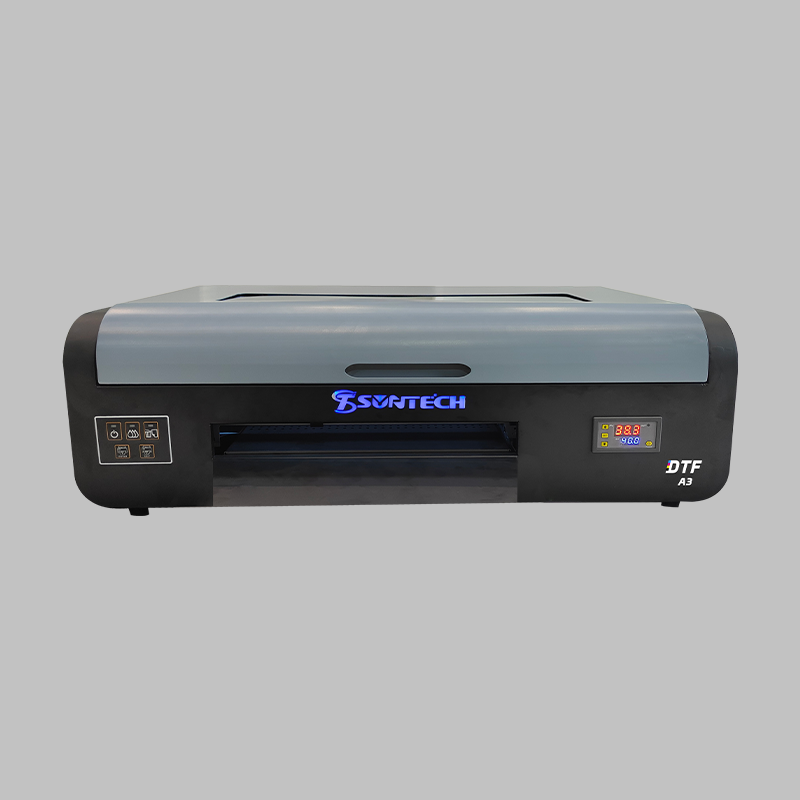
A standard DTF (direct-to-film) printer deposits textile pigment inks onto a specially coated PET (polyethylene terephthalate) film. The printed image is then coated with hot-melt adhesive powder and cured before being transferred to fabric using a heat press. This process is widely used for customising T-shirts, hoodies, uniforms, tote bags and other textile products, as it can reproduce multicolour graphics without printing directly onto each garment.
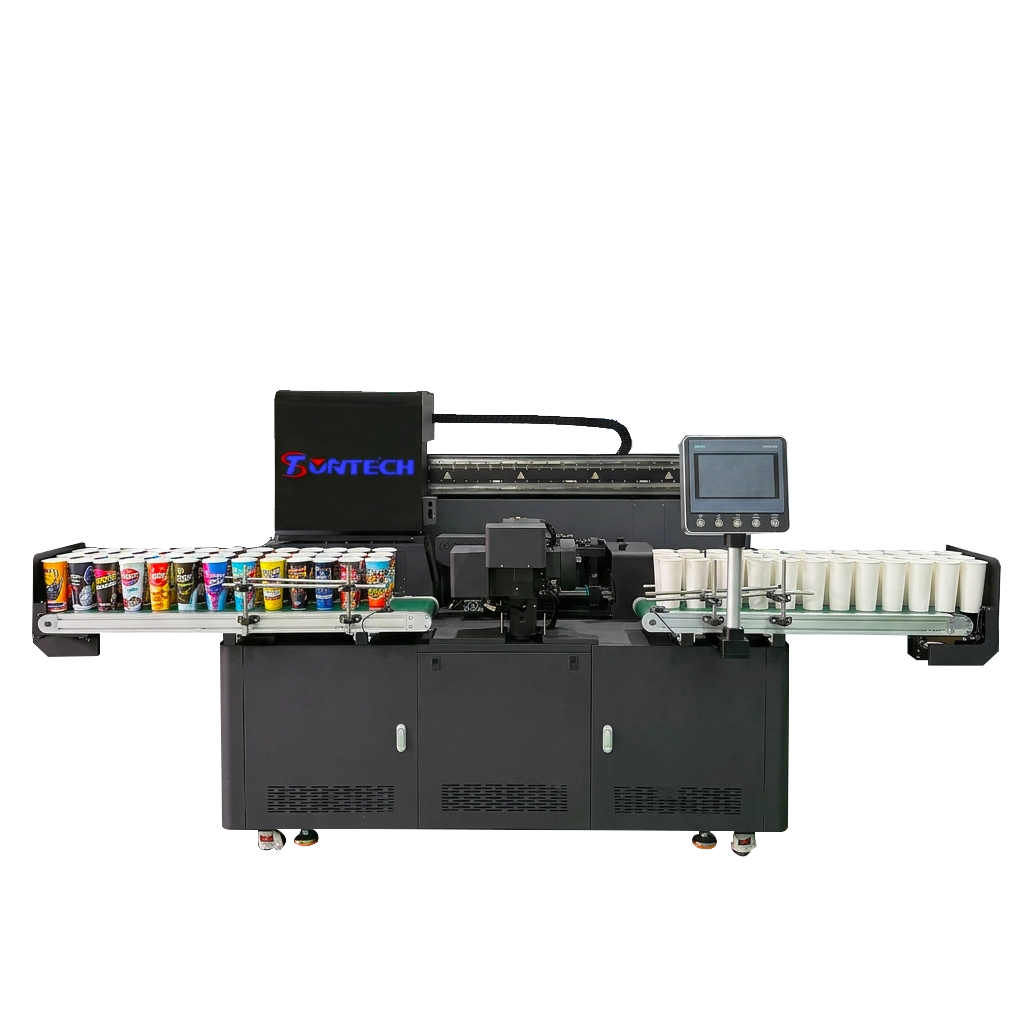
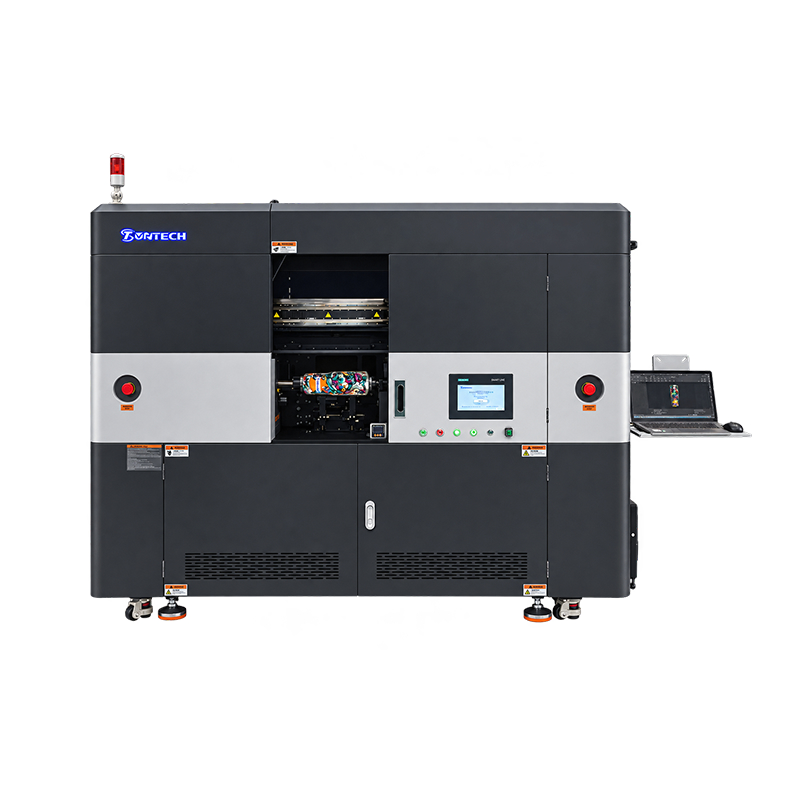
A UV DTF printer also prints onto a film, but uses UV-curable ink that hardens under ultraviolet light during production. In a common A/B film workflow, the printed design is laminated with a compatible transfer film and then applied to a suitable hard surface. This makes UV DTF useful for decorating products such as glassware, bottles, phone cases, promotional items, and selected plastic or metal surfaces, without the need for a garment heat press at the transfer stage. Actual compatibility depends on the surface coating, film adhesive, ink system, and intended conditions of use.
The distinction is simple: use standard DTF for fabric decoration and UV DTF for graphics on compatible hard goods. Neither method is universally superior. The right investment matches customer demand, the materials being printed, production volume, and the quality requirements of the finished product.
How Does a DTF Printer Work?
Standard DTF printing combines digital image production with a heat-activated bonding process. Unlike direct-to-garment printing, where the garment is fed through the print engine, the image is first prepared on transfer film and applied later. This separation enables transfers to be produced in batches and stored for subsequent orders, provided the consumables and storage conditions permit. It also allows a range of compatible textiles to be decorated with one production setup.
The typical workflow has four stages:
- Artwork preparation and printing: The artwork is prepared in the RIP software, commonly mirrored for transfer, and printed onto coated PET film using CMYK pigment inks and a white underbase where required. The white layer helps colours remain visible on dark fabrics.
- Adhesive powder application: Hot-melt powder is distributed over the wet printed areas. Excess powder must be removed so that unwanted adhesive does not form around the design.
- Curing: Heat melts the powder and forms an adhesive layer. Temperature, dwell time, powder characteristics, and ink-film compatibility all affect the quality of the finished transfer.
- Heat pressing: The cured transfer is positioned on the garment and pressed according to the film and adhesive supplier’s specifications. After the appropriate peel process, the image remains bonded to the textile.
This workflow supports cotton, polyester, many blended fabrics, and other textiles when the materials and transfer system are compatible. However, broad fabric compatibility should not be confused with identical results on every substrate. Fabric construction, dye migration, stretch, surface texture, heat sensitivity, and washing requirements can all influence the final appearance and service life.
How Does a UV DTF Printer Work?
Rather than producing a heat-pressed textile graphic, a UV DTF printer produces a transfer for hard-surface decoration. UV-curable inks are deposited onto a compatible carrier film and then exposed to UV light to initiate the curing process. Depending on the design of the machine, the system may print colour, white ink and a clear varnish layer in order to achieve opacity, detail or a particular surface finish. The exact print order and film construction vary by manufacturer, so operators should adhere to the specified consumables and workflow for their machine.
In a typical A/B transfer process, Film A acts as the printing carrier, and Film B serves as the application or transfer layer. After printing and curing, the film layers are laminated together. The prepared design is then positioned on a clean, compatible object and pressed evenly to establish contact. Finally, it is peeled off according to the film system’s instructions. Unlike standard DTF, this transfer process generally does not require a garment heat press.
The main production advantage is the flexibility it offers when the object itself is difficult to position inside a direct-printing machine. A flatbed UV printer may require the item to fit within the printer’s working area and be held securely at a consistent height. UV DTF transfers can be prepared in advance and applied manually to curved or irregular surfaces. However, the operator must then control the alignment, pressure, cleanliness of the surface, and removal of the film to avoid bubbles, lifting, or uneven adhesion.
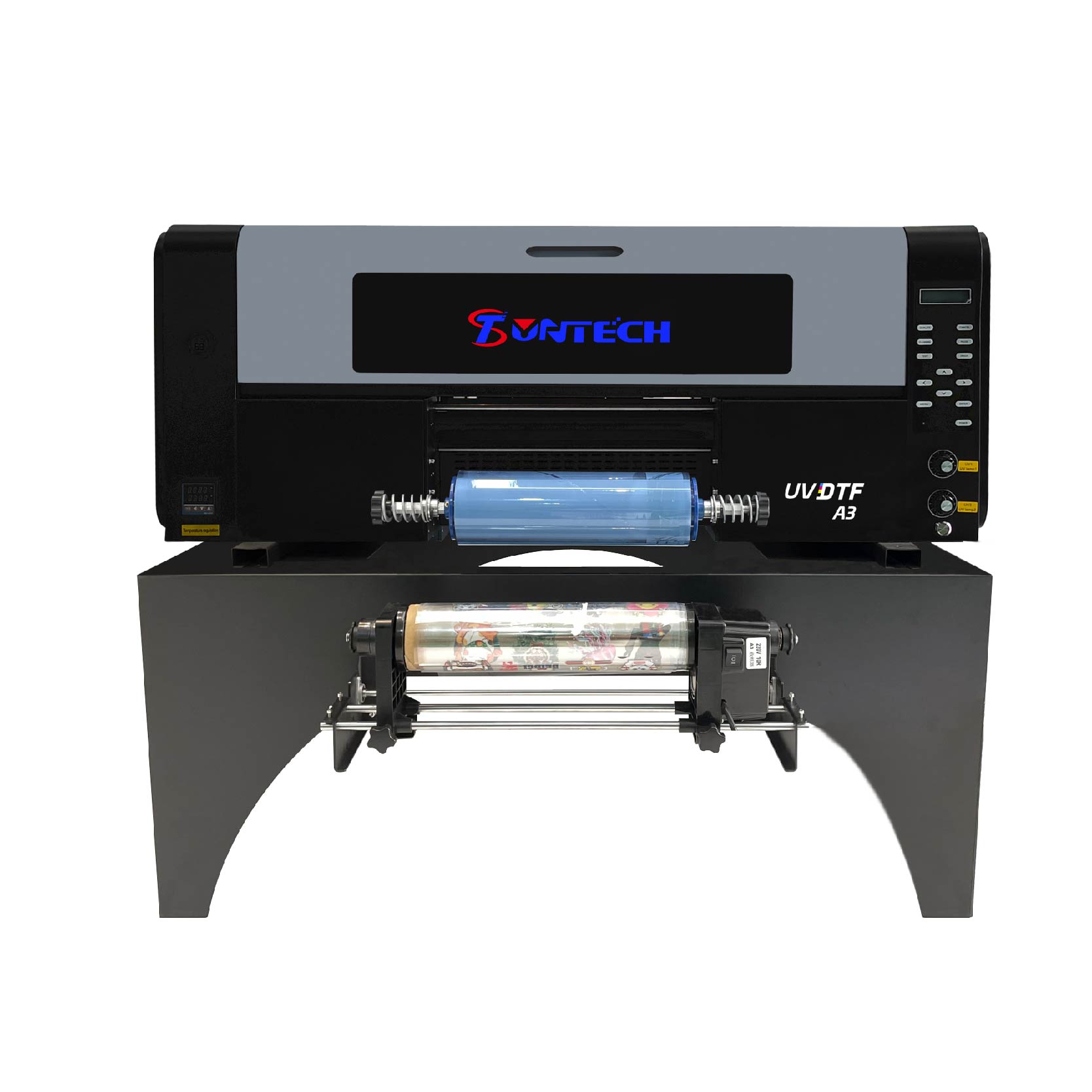
UV DTF Printer vs DTF Printer: Key Differences Compared
Although both machines rely on film-based transfers, their consumables and downstream processes are not interchangeable. A standard DTF printer generally uses textile pigment ink, coated transfer film, hot-melt adhesive powder, and a curing unit or oven. A UV DTF printer uses UV-curable ink, a compatible film-transfer system, and UV curing; its workflow commonly includes lamination. This difference affects the equipment a print shop must purchase, the skills operators need, and the kinds of orders the business can fulfil.
The following table summarises the differences that matter most when evaluating equipment for a commercial printing operation.
| Comparison factor | UV DTF printer | Standard DTF printer |
| Primary purpose | Decorating compatible hard surfaces | Decorating textiles and garments |
| Ink type | UV-curable ink | Textile pigment ink |
| Printing medium | UV DTF-compatible carrier film | Coated DTF PET transfer film |
| Bonding method | Film adhesive applied to the target surface | Heat-activated hot-melt adhesive |
| Curing process | UV light cures the ink | Heat cures the adhesive powder |
| Transfer application | Commonly applied by positioning and pressing the transfer | Applied with a heat press |
| Typical products | Bottles, glassware, phone cases, promotional goods | T-shirts, hoodies, uniforms, tote bags |
| Surface requirements | Clean, compatible, sufficiently smooth or appropriately prepared surfaces | Compatible fabric that tolerates the required pressing conditions |
| Main production challenge | Reliable adhesion, alignment, and bubble-free application | Consistent powder coverage, curing, pressing, and wash performance |
| Common consumables | UV inks, compatible films, laminating materials | Pigment inks, PET film, adhesive powder |
| Best-fit business | Hard-goods personalisation and branded merchandise | Custom apparel and textile decoration |
These are general process distinctions rather than guarantees of performance for every machine. Ink formulation, film quality, printhead configuration, curing control, adhesive compatibility, and operator technique all affect results. Before buying, compare complete production systems instead of relying only on a printer’s headline specifications.
Applications: Which Products Can Each Printer Handle?
Applications of a UV DTF Printer
UV DTF technology is particularly useful for businesses selling personalised hard goods, branded merchandise or small-batch promotional products. It can be used to create logos, decorative graphics, product labels and customised artwork for compatible drinkware, glass containers, selected plastic items, metal goods, acrylic products and phone accessories. The transfer workflow is particularly useful when printing directly onto an object would be difficult due to its shape, or if a business handles many different product designs.
For instance, a promotional products supplier might receive orders for branded bottles, phone cases, and personalised gift items in the same week. Preparing transfers enables businesses to print designs in batches and apply them to individual items as orders are processed. While this reduces the need to repeatedly fixture different objects in a direct-printing machine, manual application still requires time and quality control.
Material compatibility remains essential. Not all plastics, coatings, glass finishes, or curved surfaces will bond reliably with all UV DTF films. Products that are exposed to frequent washing, abrasion, outdoor weather conditions, or food contact require particular care, as a visually attractive transfer does not automatically meet the relevant durability, safety, or regulatory requirements. Test the complete ink-film-substrate combination under the actual conditions of use before promising a specific service life.
Applications of a Standard DTF Printer
Standard DTF is designed for textile decoration, making it ideal for apparel manufacturers, print-on-demand sellers, uniform suppliers, sportswear companies and promotional clothing businesses. Typical products include T-shirts, sweatshirts, hoodies, workwear, tote bags, fabric accessories and selected performance garments. As the design is printed onto film before application, detailed, multicolour graphics can be handled without creating a separate screen for each design.
DTF is particularly useful for orders containing multiple artwork variations, names, numbers or small quantities per design. A shop can prepare several transfers on a larger film layout and then press the individual designs onto garments as required. This makes short-run production more practical than methods requiring extensive setup for each design variation, although high-volume orders of simple designs may favour screen printing or another process, depending on the cost structure.
The main consideration is that the garment must withstand the heat and pressure required by the chosen transfer system. Some fabrics may be sensitive to heat, and certain polyester garments may experience dye migration if the transfer materials and process are not suitable. It is therefore valuable to conduct sample wash and application tests before launching a new fabric or garment style into production.
Print Quality, Durability, and Finish
Print quality should be evaluated against the intended product rather than as a single score shared by both technologies. UV DTF can produce detailed graphics with vivid colours, and when the system supports it, it can produce glossy or raised-looking finishes through clear varnish layers. These effects can be appealing for branding and decorative purposes. However, the final result depends on the substrate, film system, artwork, and application technique. Even a premium-looking transfer may fail if its adhesive is not well-matched to the object.
Standard DTF is valued for reproducing complex artwork on a wide range of compatible fabrics. The finish is usually a printed layer bonded to the textile surface, so the texture and flexibility depend on design coverage, ink deposition, adhesive characteristics, fabric construction, and pressing conditions. Large solid graphics may feel heavier than smaller designs with open areas, and excessive heat or incorrect curing can compromise the result.
Durability also needs to be assessed differently. For apparel, useful measures include wash resistance, cracking, stretch performance, and colour retention after repeated laundering. For UV DTF on hard goods, relevant tests include adhesion, edge lifting, abrasion, cleaning chemicals, water exposure and temperature changes. Although UV curing hardens the ink, it does not make every finished transfer universally scratch-proof, waterproof, or dishwasher-safe. Claims should be tested against the intended end use, and customers should be provided with realistic care instructions.
Cost, Productivity, and Total Ownership
The purchase price of a UV DTF or standard DTF printer is only one part of the investment. The total cost of ownership also includes the cost of inks, film, adhesive or laminating materials, maintenance, replacement parts, labour, energy, rejected products, and any additional equipment required for the transfer process. A low-priced printer can become expensive if its consumables are hard to find, if it needs frequent maintenance, or if the production workflow results in a high number of defective transfers.
Standard DTF production requires a printer, film, adhesive powder, curing equipment, and a heat press. Integrated powder shaker and curing systems can reduce manual handling and stabilise output, but they increase the initial investment and ongoing maintenance costs. Labour planning should include not only the time the printer spends laying down ink, but also artwork preparation, powder control, curing, garment positioning, pressing, peeling, and quality checks.
UV DTF production commonly requires a compatible printer and film system, UV curing and, if not integrated into the machine, a laminating arrangement. This method is attractive for businesses selling many types of customised hard goods, but manual application can become a bottleneck when careful positioning of each object is required. A shop handling large quantities of identical flat objects should also compare UV DTF with direct UV printing; these two approaches solve different production problems, and transfers are not necessarily the fastest or cheapest option for every product.
Therefore, a practical cost comparison should use the same assumptions for both workflows, such as monthly order volume, average design size, material consumption per saleable unit, operator time, waste rate, and selling price. Calculate the cost per accepted product rather than the cost per printed sheet. This will show whether the chosen technology can meet the business’s required margin and delivery time.
How to Choose the Right Printer for Your Business?
The most reliable buying decision starts with a product list and a realistic order forecast. Before comparing brands, identify the substrates you intend to print on, the average order size, the level of detail customers expect, and any durability requirements. Then request samples made with the actual ink, film, and application process being considered. Sample results often reveal more about suitability than advertised resolution or theoretical production speed.
Use this decision matrix as a starting point:
| Business requirement | Recommended direction | Key point to verify |
| Custom T-shirts and hoodies | Standard DTF printer | Wash durability, stretch, and hand feel |
| Uniforms and promotional apparel | Standard DTF printer | Daily production capacity and repeatability |
| Personalised bottles and gift items | UV DTF printer | Adhesion to the exact surface finish |
| Logos for compatible phone cases and hard goods | UV DTF printer | Resistance to handling, cleaning, and abrasion |
| Frequent changes between textile designs | Standard DTF printer | Transfer layout efficiency and pressing time |
| Many different rigid product shapes | UV DTF printer | Ease of manual application and transfer compatibility |
| Both clothing and hard-surface products | Separate or outsourced workflows | Whether demand justifies two production systems |
After identifying the suitable technology, assess the supplier and production system across seven areas:
- Printhead and output consistency: Review print quality on fine text, gradients, small logos, and large solid-colour areas. Ask for repeatability data or samples from multiple production runs.
- Ink and film compatibility: Confirm which consumables the manufacturer recommends, their availability, and whether substitutions affect warranty or print performance.
- Maintenance requirements: Ask about routine cleaning, white-ink management where applicable, replacement intervals, and the support available if the printer is idle for extended periods.
- Production capacity: Evaluate finished, saleable output per hour, including curing, laminating, pressing, application, and inspection—not just printer speed.
- Software and workflow: Check RIP software compatibility, colour management, file preparation, and the ability to handle common artwork formats.
- Quality assurance: Establish practical acceptance criteria for colour consistency, transfer adhesion, garment wash performance, and surface defects.
- After-sales service: Verify training, technical support, spare-parts access, and the supplier’s ability to troubleshoot the full workflow.
A business that sells mostly apparel should not buy a UV DTF printer simply because UV curing sounds more advanced. Likewise, a company specialising in customised drinkware is unlikely to benefit from a standard DTF system unless it also has meaningful textile demand. The best printer is the one that produces the products your customers actually buy, at a repeatable quality and a sustainable cost.
Common Mistakes When Comparing UV DTF and DTF Printers
A common mistake is assuming that both printers can use the same ink or film simply because their names contain the letters ‘DTF’. However, their materials and bonding processes are different, so using incompatible consumables can result in poor output or equipment problems. Rather than experimenting with inks or films designed for the other system, buyers should confirm compatibility with the manufacturer.
Another mistake is judging durability by appearance immediately after production. For example, a sharp, glossy transfer may still have weak adhesion, and a textile transfer that looks excellent before washing may fail if the adhesive has been incorrectly cured or pressed. Establish product-specific tests before accepting large orders and document the settings that produce reliable results.
Finally, businesses sometimes compare machine prices without accounting for finishing labour and rejected products. A printer that produces transfers quickly may still result in a slow overall workflow if lengthy manual application is required for each item. A realistic trial run, from artwork preparation to final inspection, provides a more useful basis for estimating production capacity, cost per unit, and return on investment.
Frequently Asked Questions
- What is the main difference between a UV DTF printer and a DTF printer?
A UV DTF printer uses UV-curable ink and film transfers primarily for compatible hard surfaces, such as selected glass, plastic, and metal products. A standard DTF printer uses textile pigment ink and heat-activated adhesive to transfer designs onto compatible fabrics.
- Can a UV DTF printer print on T-shirts?
UV DTF is not designed as a substitute for standard textile DTF and is generally unsuitable for ordinary garment printing. For T-shirts, hoodies, and other fabric products, a standard DTF printer is usually the more appropriate choice.
- Can a standard DTF printer print on glass or phone cases?
Standard DTF transfers are engineered for textiles, so they should not be treated as a reliable decoration method for glass or rigid phone cases. For compatible hard goods, UV DTF or direct UV printing is generally a better starting point.
- Does UV DTF printing require a heat press?
Most common UV DTF film-transfer workflows do not require a garment heat press because the ink is cured with UV light and the transfer is applied to the object using pressure. The exact application procedure depends on the printer, film system, and substrate.
- Which is cheaper, a UV DTF printer or a DTF printer?
Neither technology is always cheaper because equipment prices, consumables, labour, maintenance, and production volumes vary. Compare the total cost per accepted product, including finishing time and waste, before choosing a system.
- Can one printer handle both UV DTF and standard DTF printing?
A conventional UV DTF printer and a standard DTF printer use different ink and transfer systems, so one should not be assumed to perform both jobs. Businesses serving both apparel and hard-goods markets should evaluate separate compatible equipment or outsource the less frequent type of work.
Conclusion
Fundamentally, the comparison between a UV DTF printer and a DTF printer is a comparison between two production methods designed for different product categories. UV DTF is ideal for creating custom graphics on compatible hard goods, while standard DTF offers a flexible workflow for apparel and other textiles. While both can support short-run customisation, neither is suitable for every substrate, order size, or business model.
Before investing, it is advisable to test real customer products, calculate the full production costs, and assess the required durability for the intended application. Aligning the technology with the product line and validating the entire workflow before scaling up will generally result in a more reliable investment than basing the choice of equipment on price or specifications alone.