
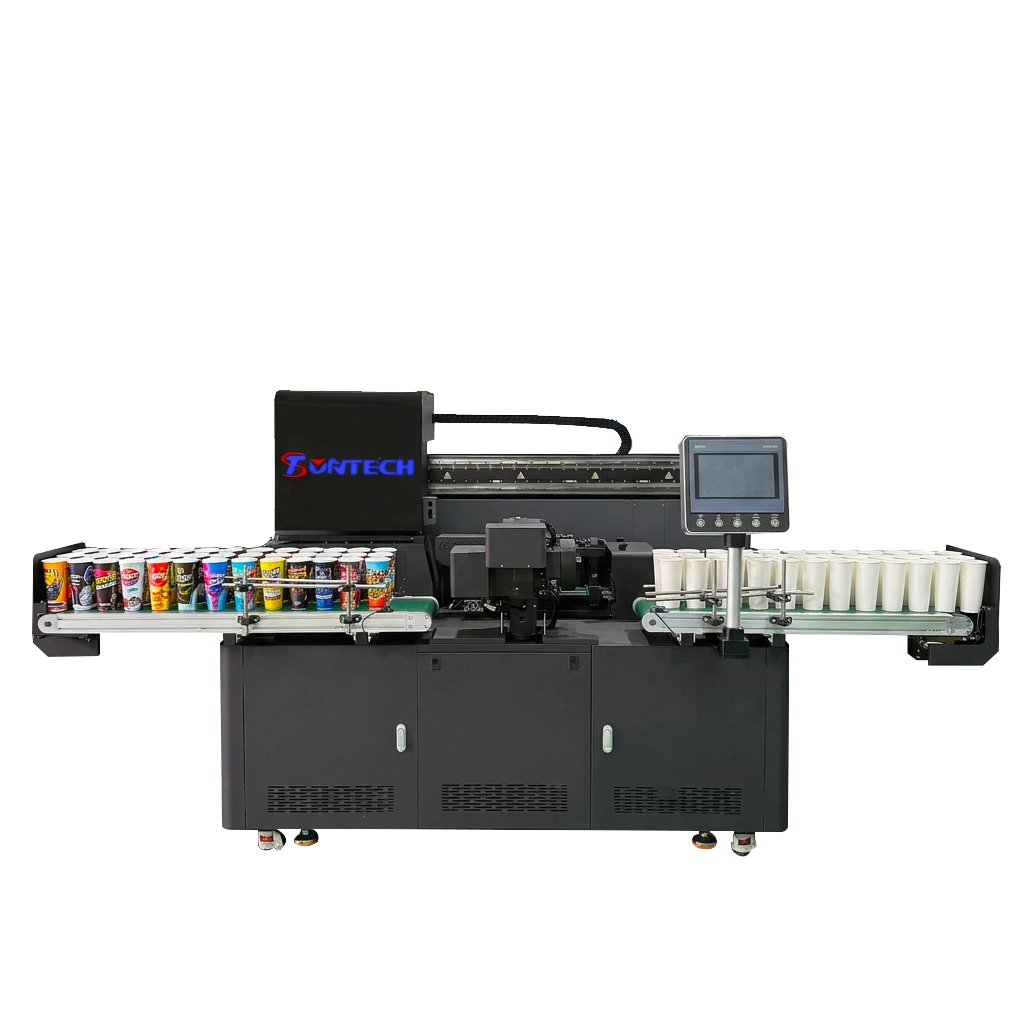

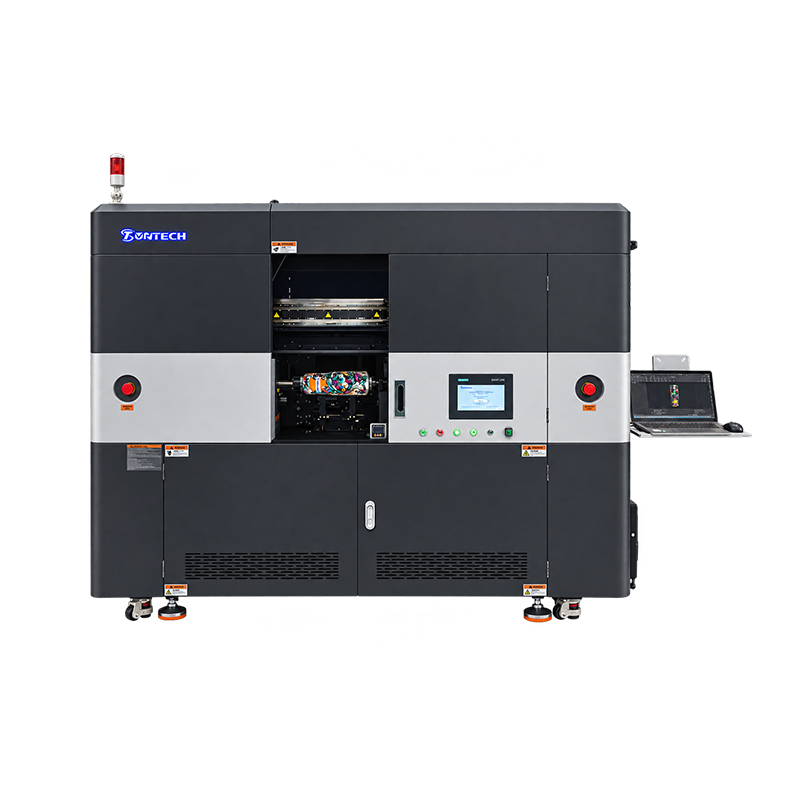
A single-pass printer prints everything in one quick move. It uses many printheads that sit above the paper. You can see the difference right away. This printer is much faster than older ones. You get good results for packaging, labels, and posters. You do not have to wait for the printer to go over the paper many times. If you want to save ink and get fast, steady prints, this technology is important. Here is how it compares:
| Feature | Single-Pass Printing | Multiple-Pass Printing |
|---|---|---|
| Speed | Very fast, great for printing in large quantities. | Slower but focuses on being exact. |
| Quality | Good for most business jobs. | Gives sharp and detailed pictures. |
| Typical Application | Best for packaging, labels, and posters. | Used for blueprints, fine art, and technical drawings. |
| Ink Usage | Uses ink well in one step. | Adds ink slowly for more detail. |
How It Works
Print Mechanism
Printhead Setup
The way a single-pass printer works is easy to see. It has many printheads lined up over the paper. Each printhead has lots of nozzles. These nozzles spray ink all at once. The printhead does not move back and forth. The printer covers the whole page in one quick step.
Here is a table that shows how single-pass and multi-pass printers work:
| Feature | Single-Pass Printer | Multi-Pass Printer |
|---|---|---|
| Design Focus | Fast and efficient | Very accurate and detailed |
| Nozzle Configuration | Many nozzles spray ink together | Fewer nozzles move and spray many times |
| Printing Process | Prints colors in one smooth motion | Adds colors slowly for better pictures |
| Ideal Use Case | Good for lots of posters and labels | Best for jobs needing fine details |
Ink or Toner Flow
A single-pass printer has many parts that help move ink. The print head assembly holds the nozzles. Ink cartridges give the printer different colors. A stepper motor and belt move the print head. A stabilizer bar keeps things steady. The paper feed assembly and tray hold the paper. Rollers pull the paper in and push it forward. Another stepper motor moves the rollers. The power supply gives energy to all the parts. Control circuitry runs the whole printer.
Here is a table with the main parts:
| Component | Description |
|---|---|
| Print head assembly | Has nozzles that spray ink drops. |
| Ink cartridges | Holds colors, sometimes with the print head. |
| Print head stepper motor | Moves the print head across the paper. |
| Belt | Connects the print head to the motor. |
| Stabilizer bar | Keeps the print head moving straight. |
| Paper feed assembly | Helps feed paper into the printer. |
| Paper tray/feeder | Holds printing paper. |
| Rollers | Pull and push paper for printing. |
| Paper feed stepper motor | Moves rollers to feed paper exactly. |
| Power supply | Gives power to the printer. |
| Control circuitry | Controls the printer and reads computer data. |
Single Pass Process
Paper Movement
Paper moves through a single-pass printer in one smooth way. Rollers pull the paper from the tray. They push it under the printheads. The paper does not stop or go back. The printer prints everything in one pass. This makes printing faster and helps avoid mistakes.
Color Application
All colors are put on the paper at once. Each printhead sprays its color as the paper moves. The printer does not need to add colors in layers. You see bright colors and clear pictures right away. The ink dries fast, so you can use the prints soon.
A single-pass printer uses smart design for fast, good prints. You save time and get strong colors. This technology works well for packaging, labels, and posters.
Single Pass Printer Features
Speed
You will notice the speed of a single-pass printer right away. This type of printer can finish large jobs in minutes. For example, the MT single-pass printer prints up to 30 meters every minute. You can use it for packaging, labels, or posters. The printer does not need to go over the paper repeatedly. You get your prints fast, which helps you save time and boost your work output.
Print Quality
You get sharp and bright prints with a single-pass printer. The printheads spray ink evenly across the paper. This gives you clear images and strong colors. The EFI Nozomi printer is a good example. It creates high-quality signage and display graphics. You do not have to worry about streaks or faded spots. The printer covers the whole surface in one move, so every print looks the same.
Here is a table showing how print quality compares:
| Printer Type | Print Quality Level | Best Use Case |
|---|---|---|
| Single Pass Printer | High for business | Packaging, signage |
| Multi-Pass Printer | Very high for art | Fine art, blueprints |
Versatility
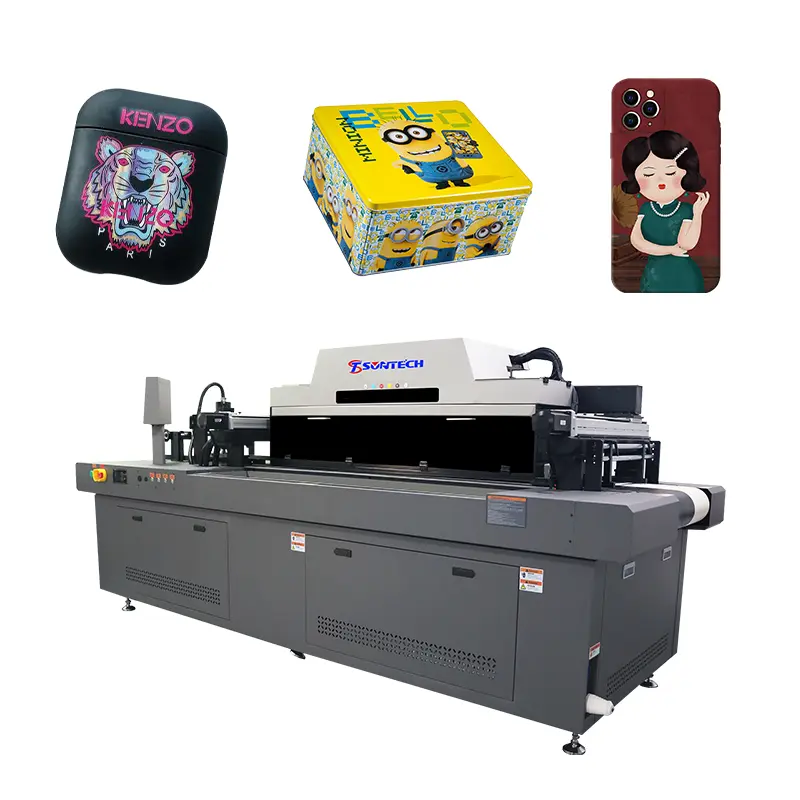
You can use a single-pass printer on many types of materials. These printers work on plastics, metals, and textiles. You do not need to change the printer for each job. The SPD-1000 model prints on flat and semi-flat surfaces. You can print on boxes, banners, or even fabric. This versatility helps many industries. Factories use these printers for packaging. Stores use them for signs. Clothing companies use them for textiles.
You get speed, quality, and versatility with a single-pass printer. You can print on many surfaces and finish jobs quickly. This technology helps you keep up with busy work and changing needs.
Single Pass Printer vs Multi-Pass
Speed Comparison
You want your printer to work fast, especially when you have many pages to print. A single-pass printer gives you high speed because it prints everything in one move. You do not need to wait for the printer to go over the paper repeatedly. This makes it perfect for big jobs like packaging or posters. Multi-pass printers take longer because they print in layers. They focus on making each detail perfect, but this slows down the process.
Here is a table that shows how speed compares:
| Printing Method | Speed Description |
|---|---|
| Single-pass printing | Extremely fast, perfect for high-volume printing. |
| Multiple-pass printing | Slower but prioritizes precision. |
If you need to finish a lot of prints quickly, you will see the advantage of single-pass printing. You can meet deadlines and keep your work moving.
Quality Differences
You may wonder about the quality of the prints. Single-pass printers give you bright colors and clear images. They work well for business jobs, packaging, and signs. You get good results for most needs. Multi-pass printers focus on fine details. They print in layers, which helps with sharp lines and smooth colors. Artists and engineers often use multi-pass printers for blueprints or artwork. You should choose a printer based on what you need most: speed or perfect detail.
Maintenance
You want your printer to last and work well. Both types of printers need care, but you may find single-pass printers easier to maintain. You should clean the rollers with a lint-free cloth and an alcohol-based solution. Check for wear on rollers, belts, and gears. Replace any damaged parts to keep your prints looking good. Keep your printer in a dust-free space so the printhead nozzles do not clog. Use inks recommended by the manufacturer for best results. Schedule regular checks by professionals to avoid big repairs.
- Clean rollers with a lint-free cloth and alcohol-based solution.
- Check rollers, belts, and gears for damage and replace as needed.
- Keep the printer in a dust-free area to prevent nozzle clogs.
- Use genuine inks for quality and long life.
- Schedule regular maintenance checks with professionals.
If you follow these steps, your printer will work better and last longer. You will avoid problems and keep your prints looking sharp.
Advantages
High Output
A single-pass printer can print a lot very fast. It finishes big jobs without slowing down. You can print hundreds or thousands in a short time. This speed helps you meet tight deadlines. You can keep up with what customers want. Many businesses use this for packaging, labels, and signs. The printer does not need to go over the paper again. You finish more work in less time.
Consistent Results
Every print should look the same, even for big jobs. Single-pass printers use smart ink and technology to keep prints steady. New reactive inks work with many materials. Colors stay bright and do not bleed. High-frequency print heads put ink drops in the right place. You do not see streaks or lines. Color checks watch for changes and fix them fast. You get good prints every time.
Here is a table showing how single-pass printers keep results consistent:
| Feature | How It Helps Consistency |
|---|---|
| Advanced Ink Formulation | Cuts color bleeding by two-thirds, keeps colors sharp |
| Precise Droplet Placement | Puts ink drops within ±5μm, stops banding and streaks |
| Real-time Color Checks | Does 1,200 checks per meter, keeps colors even, and prints looking the same. |
Productivity
Single-pass printers help you work faster and change jobs quickly. You can print fast and finish jobs sooner. You can switch designs without waiting a long time. This helps you take new orders or change styles right away. You keep prints looking good while making more. Your team works better, and your customers are happy.
Here is a table showing how single-pass printers improve productivity:
| Benefit | Description |
|---|---|
| Faster Production Speeds | Prints fast, cuts down total production time |
| Reduced Lead Times | Makes the time from design to product shorter |
| Quick Style Changes | Let’s you change designs fast, adds flexibility |
| High Print Quality | Keeps prints looking good while making more |
You get high output, steady results, and better productivity with a single-pass printer. This technology helps you do big jobs, keep prints looking good, and work faster every day.
Limitations
Cost
You may notice that single-pass printers cost more than regular printers. The price comes from the advanced printhead technology and the need for precise engineering. You pay a higher initial investment when you buy one. Many businesses see this as a barrier, especially if you run a small shop or have a tight budget. The cost does not stop at the purchase. You also spend more on replacement parts and specialized inks. Some models require you to use branded supplies, which can raise your expenses. If you want to print at high speed and quality, you must plan for these costs.
Maintenance Needs
Single-pass printers need regular care to keep working well. You must clean the printheads often to prevent clogs. Dust and dried ink can block the nozzles. If you ignore maintenance, you may see streaks or faded colors on your prints. You also need to check the rollers and belts for wear. These parts move the paper and keep it steady. If they break, your printer may jam or print unevenly. Some printers have sensors that warn you about problems, but you still need to inspect the machine. You may need a technician for complex repairs. This adds to your operating costs.
Here is a table showing common maintenance tasks:
| Task | How Often | Why It Matters |
|---|---|---|
| Clean printheads | Weekly | Prevents clogs and streaks |
| Check rollers/belts | Monthly | Avoids jams and misprints |
| Replace worn parts | As needed | Keeps print quality steady |
| Professional service | Twice a year | Extends printer lifespan |
Media Handling
You may face challenges when printing on different materials. Single-pass printers work best with certain substrates. If you use non-porous surfaces like plastic or metal, you might see poor ink adhesion. This can cause smudging or fading. Sometimes, the printer leaves uneven lines or streaks, known as banding. Ink can pool in spots, making blotches or inconsistent colors. Glossy materials may show uneven reflectivity, which creates a mottled look. Problems with ink curing can also appear. If the ink does not cure properly, prints may feel sticky or look dull.
Here are the most common media handling issues:
- Ink adhesion problems can lead to smudging and fading.
- Banding causes uneven lines or streaks.
- Ink pooling creates blotches and lowers print quality.
- Gloss variation results in a mottled appearance on glossy surfaces.
- Curing issues make prints sticky or dull.
You should weigh these limitations before choosing a single-pass printer. Higher costs, regular maintenance, and media handling challenges may affect your decision. Careful planning helps you get the best results for your business.
Applications
Packaging
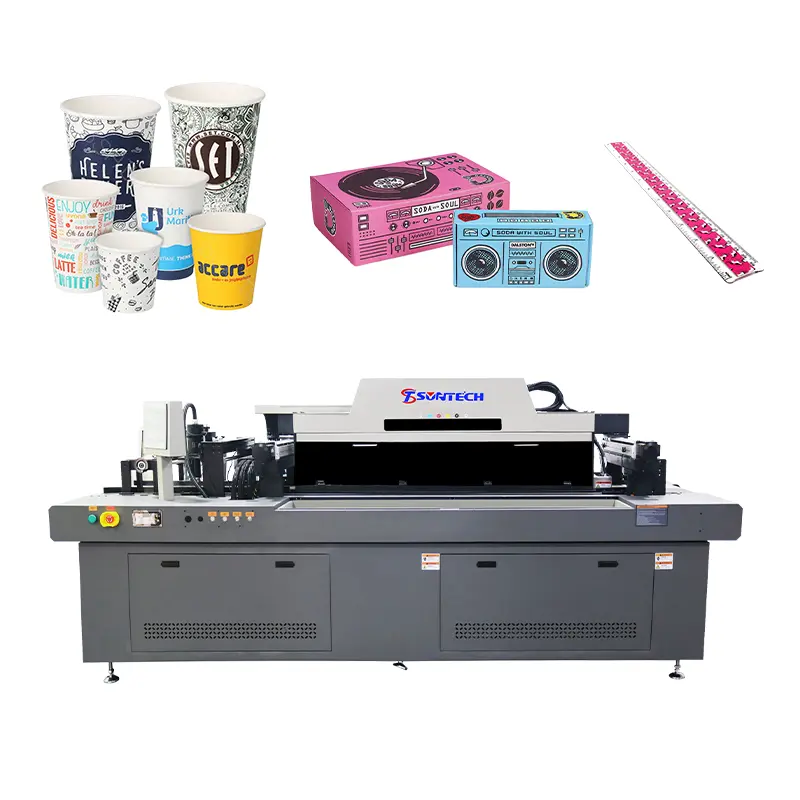
Single-pass printers are used a lot for packaging. They help companies print boxes and wrappers very fast. Each package has bright colors and clear logos. Most companies use this technology now. In 2024, these printers made up 75.5% of the market. This means many businesses trust them for their work.
- Most companies use single-pass printers for quick printing.
- You get good prints on cardboard, paper, and flexible packages.
- Companies finish big orders fast and keep the designs the same.
You can make custom designs for each customer. You also save time when you change packaging styles. This helps you meet deadlines and keep customers happy.
Signage & Display
Signs and displays need to look good and be ready fast. Single-pass printers help you do this job. You can print banners, posters, and store signs in just minutes. These printers work on vinyl, plastic, and metal. You always get strong colors and clear pictures.
Here is a table that shows how single-pass printers help with signs and displays:
| Feature | Benefit |
|---|---|
| Super-high-speed printing | Makes signs faster, so you get them sooner. |
| High-quality production | Matches old printing ways, so the displays look great. |
| Versatile substrate compatibility | Prints on many materials, so you have more sign choices. |
| Streamlined process | Cuts down time, so you deliver signs and displays faster. |
You can use printers like the EFI Nozomi 14000 SD for big signs. This printer works fast and keeps colors bright. You finish jobs quickly and deliver on time.
Industrial Uses
Single-pass printers are used in factories and workshops. You can print right on bottles, cans, and machine parts. This helps you add labels and safety warnings. You also use these printers for textiles and electronics. The XD54 UV LED printer prints on flat and almost flat things. You get strong prints on metal, plastic, and fabric.
- You print codes, logos, and instructions on many products.
- You finish jobs quickly and keep the factory moving.
- You get prints that last and do not fade.
You see single-pass printers in many industries. They help you keep up with orders and make products look good.
Is a Single-Pass Printer Right for You
Needs Assessment
You should start by thinking about your printing needs. Ask yourself what you print most often. Do you need to print packaging, labels, or signs every day? If you print large batches, you may want a printer that works fast and gives steady results. You should also look at the types of materials you use. Some printers work better on paper, while others handle plastic or metal. If you need to switch between materials, check if the printer can do this easily.
Here is a table to help you review important factors:
| Factor | Description |
|---|---|
| Throughput | Prints more items in less time. |
| Cost | Costs more than scanning printers. |
| Print Defects | It may show more defects if not set up correctly. |
| Adoption Rate | Not every business uses this type yet. |
| Market Trends | Big companies use these printers more each year. |
Budget
You need to think about your budget before buying a printer. The price for a single-pass printer is higher than for other types. You should check if your business can afford the cost. Look at how much money you make from printing jobs. You can use simple steps to see if the printer will help you earn more.
Here is a table to guide your budget check:
| Step | Description | Calculation |
|---|---|---|
| 1 | Number of Orders/Per Day | Total number of orders / Total days |
| 2 | Average Order Value | Total revenue / Number of orders |
| 3 | Profit Margin | Gross profit / Total revenue |
| 4 | ROI Benchmark | Set a profit margin goal for your ROI |
Volume & Speed
You should look at how much you print and how fast you need your jobs done. If you print hundreds or thousands of items each week, speed matters. A single-pass printer can finish big jobs quickly. You do not have to wait for the printer to go over the paper many times. This helps you meet deadlines and keep customers happy. If you only print a few items each month, you may not need such a fast printer.
- Make a list of your average print volume.
- Check how fast you need your jobs finished.
- Decide if speed will help your business grow.
You should review your needs, budget, and print volume before making a decision. This helps you choose the best printer for your business.
A single-pass printer has lots of nozzles that print at once. It prints everything quickly in just one move. You get fast prints, bright colors, and even results. Look at this table to see the differences:
| Feature | Single-Pass Printing | Scanning Printing |
|---|---|---|
| Speed | Very fast | Slower |
| Ink Coverage | Full in one pass | Needs several passes |
| Environmental | Uses UV inks, less waste | Not always eco-friendly |
Shenzhen Suntech Digital Equipment Co., Ltd. is a high-tech enterprise specializing in the research, development, manufacturing, and export of advanced UV printing equipment. Since its establishment, the company has focused on technological innovation and quality excellence, offering efficient printing solutions for industries such as toys, advertising, drinkware, packaging, gifts, and industrial manufacturing.
As a leading cylinder UV printer manufacturer in China, Suntech helps customers choose the right system by considering print applications, budget, and production speed. Its single-pass printers are designed for large-volume jobs that require high efficiency, enabling users to save time and reduce resource consumption while maintaining reliable output.